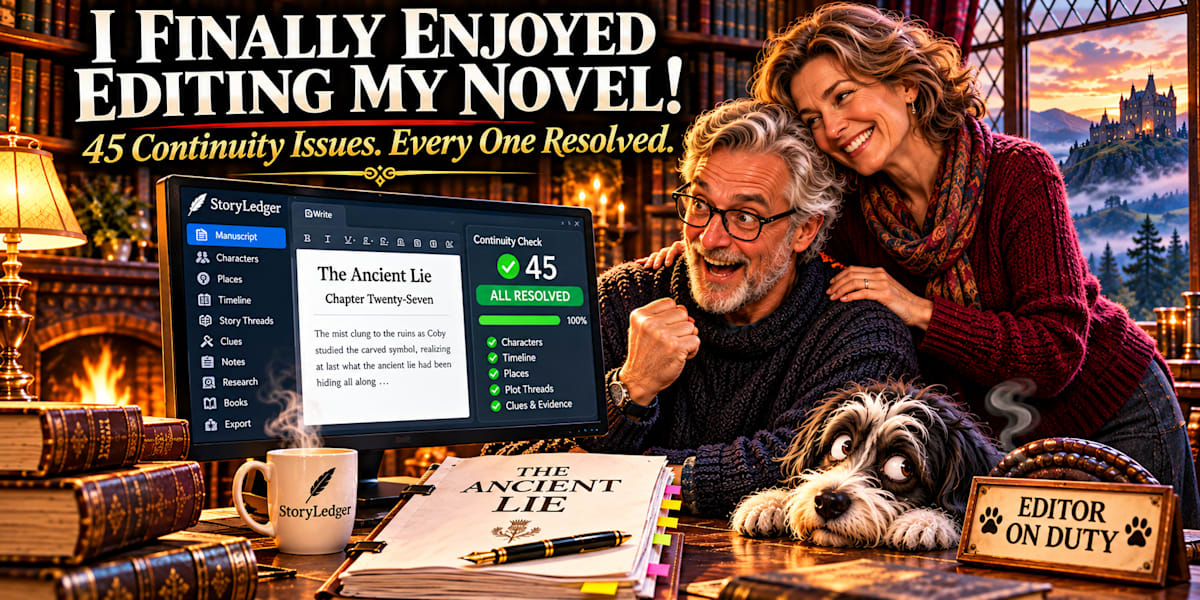
How StoryLedger helped me revise The Ancient Lie, organise 45 continuity issues, and turn a dreaded editing session into something surprisingly enjoyable.
By Iwan Ross | 1 November 2026
I've written enough novels to know that finishing a manuscript and finishing a book are two very different things.
Writing the story is where the magic happens. Characters surprise you. Secrets emerge. Someone who was supposed to have a minor role suddenly decides to become indispensable.
Then comes revision.
And suddenly you're wondering whether a character was standing beside the fireplace or sitting at the dining table, whether a particular event happened on a Tuesday or a Thursday, and why somebody appears to have changed age between chapters.
For years, I've regarded manuscript revision as necessary work. Important, certainly, but hardly something I looked forward to.
Until today.
For the first time, I genuinely enjoyed editing my novel.
And I have StoryLedger to thank for it.
The Novel That Put StoryLedger to the Test
My latest manuscript, The Ancient Lie, is Book Three in The Highlands University of Ghostology series.
At approximately 47,600 words, it brings together characters, historical events, supernatural mysteries, unresolved story threads and the kind of complications that arise when fictional people insist on making life difficult for their author.
Throughout the writing process, I worked scene by scene, recording important information in StoryLedger as I went.
Characters, places, timeline events, plot threads and details that might become significant later were entered into the story bible.
I could record which characters were present in an event, which were merely mentioned, and how the story's different threads developed.
This was particularly valuable because The Ancient Lie belongs to an established series. I wasn't simply keeping track of one manuscript. I was working with characters and storylines that had already developed across earlier books.
And that introduces a particular challenge for any series author.
Readers remember things. Sometimes things the author has forgotten.
A Two-Month-Old Baby Who Could Sing the Alphabet
Some continuity problems are subtle.
Others are gloriously ridiculous.
During the drafting and review process, I encountered a two-month-old baby who apparently knew how to sing the ABCs.
An extraordinarily gifted child, perhaps, but not quite what I'd intended.
Then there was Daisy, who had somehow changed locations between scenes.
A painting of the Mona Lisa presented another problem. The story treated it as something that could be rolled up, despite the real painting being on a wooden panel.
Elsewhere, Henry's contract and Tallis's scroll had become confused.
None of these problems meant the story was fundamentally broken. They were the little inconsistencies that creep into a manuscript when an author is concentrating on the larger narrative.
But left unresolved, they can distract a reader and undermine an otherwise carefully constructed story.
Having my story information organised made it easier to investigate those details rather than rely on memory alone.
History Has a Habit of Complicating Fiction
The Ancient Lie also required historical research.
I explored Archibald Douglas's grievances against Henry VIII, including his daughter's imprisonment, the desecration of the Melrose tombs and his memorable reference to sharp pens and bloody ink.
I examined the historical connections involving Anne and Leonardo at the French court in Amboise.
There were also details of Scots law and modern Scottish policing that needed careful handling.
These were not merely interesting facts to collect. They influenced the credibility of the story and, in some cases, the direction of its climax.
StoryLedger gave me a place to organise the information I wanted to retain and refer to while writing.
I could keep the fictional narrative moving without expecting my memory to hold every historical detail, character relationship and unresolved mystery simultaneously.
Seventy-Four Story Threads, One Clearer Picture
By the end of the manuscript, I had 74 tracked threads and world rules to account for.
Their final status was:
- 33 resolved
- 38 deferred to the final book
- 3 continuing world rules
This mattered enormously.
Not every mystery needs to be answered in the same book. Some are deliberately carried forward.
But there is a difference between intentionally leaving a question unanswered and simply forgetting that you asked it.
StoryLedger helped me make those decisions visible.
I could see what had been resolved, what still needed attention, and what belonged to the continuing world of the series.
That is the value of keeping a story bible: not just collecting information, but being able to use it when decisions matter.
Then Came the Manuscript Review
Once the draft was ready, I compiled it into a Word document for a separate review.
That first pass identified 36 issues.
Some were straightforward editorial problems: a duplicated paragraph, stray letters after dialogue, inconsistent punctuation, American spellings in a British-English manuscript, and back matter still carried over from Book One.
Others concerned consistency between the title page and the story itself.
The review also identified 77 em dashes without the intended spacing and 80 instances of toward that needed checking against my preferred British-English usage.
These observations came from a separate review process, not from StoryLedger automatically reading and judging my manuscript.
StoryLedger is not an AI manuscript reviewer.
It records and organises the information I give it. In this case, I imported the review findings into its Continuity tracker so I could manage them alongside the manuscript.
That distinction is important to me.
I want authors to remain in control of their writing, their editorial decisions and their stories.
Forty-Five Issues. Every One Settled.
The revision process became wonderfully methodical.
The first review produced 36 issues.
A subsequent pass identified six more. Another found three further issues. The final checks included three stray leading spaces, already accounted for within the overall total.
By the end, I had 45 distinct issues recorded and resolved.
And there it was on the StoryLedger Continuity screen: a solid green progress bar, with every issue settled.
I cannot adequately describe how satisfying that was.
Instead of a vague feeling that I had probably fixed everything, I had a record of the problems, the decisions and the resolutions.
I could see what had been done.
I could see what remained.
And eventually, there was nothing left outstanding.
Finally, my review stage had structure.
A New Feature Was Born During the Revision
Something unexpected happened while I was working.
I realised that although StoryLedger already had a dedicated Continuity screen, there was an opportunity to make the editing experience even more convenient.
Why should an author have to keep moving away from the manuscript to consult outstanding issues?
Why not bring those issues directly beside the writing area?
So I added a Continuity side panel to The Desk, StoryLedger's manuscript editor.
Now, while working on a scene, an author can keep continuity records visible beside the manuscript.
The panel displays outstanding issues and the passages associated with their search text, making it easier to locate the relevant wording.
Authors can navigate to the passages that need attention, work through their corrections, and mark issues as resolved.
For suitable terminology or wording decisions, they can also add entries to their custom Style Sheets.
This is particularly useful when consistency matters across an entire manuscript.
Perhaps you've decided that a character always uses a particular expression. Perhaps you want British-English terminology throughout. Perhaps a character's age, a location or a date needs checking.
The information can remain close to the work.
And importantly, the author makes the decisions. StoryLedger doesn't silently rewrite the manuscript.
Writing With My Story Beside Me
This experience reinforced something I've been trying to achieve with StoryLedger for a long time.
When I'm writing, I don't want my character information, timeline, research notes and unresolved story questions scattered across different places.
I want to concentrate on the story.
But when I need a detail, I want it within reach.
That's the thinking behind The Desk and its reference tools.
The manuscript remains the centre of attention, while the supporting information stays nearby.
It's a simple idea, but after spending half a day revising The Ancient Lie, I appreciated it more than ever.
I wasn't trying to remember everything.
I was using the information I'd already recorded.
Even the Reviewer Can Get It Wrong
Here's something worth admitting.
Not every suggested correction was correct.
During the review process, two changes introduced problems of their own.
One moved Daisy to the wrong place.
Another removed a callback involving the smell of a ditch.
Both mistakes were subsequently recorded as continuity issues and corrected.
I mention this because no editing process is infallible.
Not a human editor. Not a software-assisted review. And certainly not the author.
Suggestions still need to be evaluated in the context of the story.
The value of a continuity tracker is that it provides a structured way to record, examine and resolve those decisions.
It doesn't replace editorial judgment.
It supports it.
Seven Chapters Became Seventeen
Continuity wasn't the only thing I worked on.
The original manuscript had seven uneven chapters, ranging from approximately 700 to 12,600 words.
During revision, I reorganised the structure into a Prologue, 17 titled chapters and an Epilogue.
Existing scene breaks became opportunities for more natural chapter divisions.
I also chose chapter titles drawn from lines or images within the chapters themselves, including Two-Legged Deer, Hold On to Your Hat and Ghosts of Portraits Past.
The result was a structure that felt more deliberate and easier to navigate.
And because I was working in The Desk, I could keep the manuscript's organisation and the story's supporting records close together.
Show, Don't Tell — Even to Yourself
Writers have heard the expression show, don't tell more times than most of us care to remember.
Recently, I started thinking about how it might apply to writing software.
A list of records can tell an author what has happened.
But a visual timeline, a progress indicator or a continuity summary can show the shape of the work at a glance.
That's why I've been adding more visual cues throughout StoryLedger.
The Timeline offers an end-to-end view of the story.
The Threads screen shows the state of the questions and promises the manuscript has made.
The Progress screen gives authors a picture of their writing history.
And the Continuity screen makes outstanding editorial work visible.
Show, don't tell — even to yourself.
It may be an old writing principle, but I've found it a useful design philosophy too.
Half a Day, One Revised Manuscript, and a Very Smelly Dog
The complete editing session took approximately half a day.
I worked through the manuscript, reorganised the chapters, dealt with the recorded issues and finished with all 45 continuity items resolved.
And, much to my surprise, I enjoyed myself.
There was only one persistent interruption.
Benji.
My beloved black-and-white canine companion had apparently decided that the occasion called for an extended demonstration of his digestive capabilities.
The atmosphere in my study became increasingly Gothic.
Not because of the ghosts in The Ancient Lie.
Because of the dog beneath my desk.
I considered recording the problem in StoryLedger under Environmental Hazards, but decided that some continuity issues are best resolved by opening a window.
Why I Built StoryLedger
I didn't create StoryLedger because I wanted to compete with every writing application on the market.
I created it because I'm a novelist who kept encountering problems I wanted to solve.
I wanted a place to keep track of my characters, story threads, places, timelines, research and continuity decisions.
I wanted to write my manuscript without losing sight of the story behind it.
And I wanted tools that would help me make informed decisions without taking creative control away from me.
Today, while revising The Ancient Lie, I had the pleasure of experiencing those ideas working together.
The software is still evolving. I continue to discover improvements as I use it in my own writing.
But one thing became very clear to me.
A good writing tool shouldn't make an author think more about the tool. It should help the author think more clearly about the story.
And if it can make manuscript revision a little more enjoyable along the way, that's a wonderful bonus.
Discover StoryLedger
StoryLedger is a desktop writing and story-planning application created by an independent novelist for fellow fiction authors.
It brings manuscript writing, character records, places, story threads, timelines, research and continuity tracking into one workspace.
It doesn't write your novel for you.
It helps you keep track of the novel you're writing.
Explore StoryLedger: https://blurbcraftstudio.com/storyledger.html
Iwan Ross is an independent author of Scottish Gothic ghost mysteries and supernatural suspense, and the creator of StoryLedger.
Dream on. Write on. Love on.