StoryLedger
It started with my reviews.
Not the ones about the story — those I can live with. The small ones. A name spelled two ways. A character whose eyes changed colour somewhere between one book and the next. A dog who aged three years in a single winter.
Every one of them was fair. And every one of them was mine.
The trouble isn't that writers don't care about these details. It's that by the time you're a few books in, the details live in six places at once — a notebook, a spreadsheet, the manuscript itself, and the increasingly unreliable filing cabinet between your ears.
So I built somewhere to put them.
StoryLedger is a story bible and continuity tracker. Characters, places, story threads, timeline, research and continuity issues, all in one place, for one book or a whole shelf of them. It runs on Windows, everything stays on your own computer, and it doesn't replace whatever you write in — I write in Scrivener and keep the story bible here alongside it.


Who it's for
Novelists. Series or standalones — it makes no difference. If the same characters, the same town or the same world turn up more than once, what you decided the first time has to still be true the next time. Even inside a single book, chapter three and chapter thirty have a habit of disagreeing.
Editors. If you build a style sheet for every manuscript — names, hyphenation, timeline, who has which scar, which way the dog's ear flops — this is that style sheet, except you can search it, filter it, and hand a clean record back to your author. Copy-editors, line editors and proofreaders all end up keeping the same notes. This keeps them somewhere better than a Word file, and it keeps each client's book separate from the next.
Readers who keep notes. You know who you are. You're the ones who write to us, and you're usually right.
No AI, and nothing leaves your computer
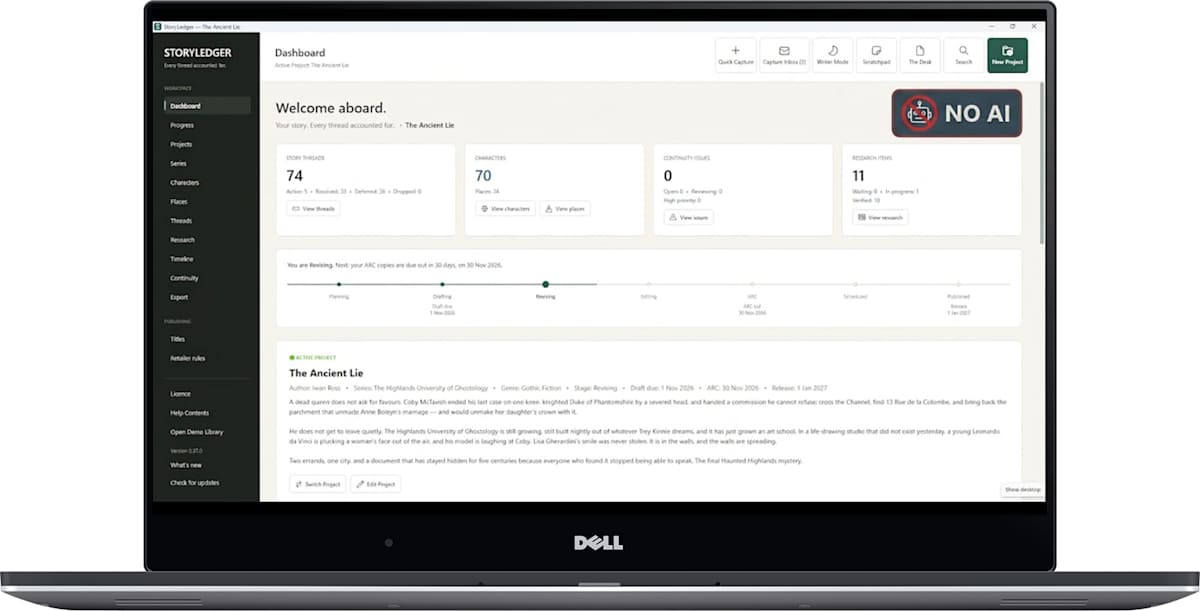
StoryLedger does not write for you. There is no generator in it, no suggestions, no “improve this paragraph”, no model of any kind. Every word in your story bible is a word you typed, and so is every word in the Desk.
Your work stays where you put it. The records, the research, the manuscript — all of it lives in a file on your own machine. There is no account to make, nothing to sign into, and nothing syncing in the background.
The licence works offline too. No activation server, no seat limits, no phoning home to check you are still allowed to open your own notes.
The one thing StoryLedger ever sends anywhere is a check for a newer version, from the same public page the installer came from. Switch off your internet and everything else works exactly as it did.
What's in it
Characters — with as many roles as they actually play, their relationships, and the details that have to stay the same: hair, eyes, scars, markings, and yes, the dog's breed
- Places, story threads, timeline events and research, all linked to each other
- A continuity log: record the contradiction, attach everyone and everywhere it touches, and mark it fixed with the date, so you know it was dealt with and not just noticed
- Search across one book, or across the whole series
- A Scratchpad for craft notes that belong to you rather than to any one project — the way you write dialogue, the research you did once and never want to do again
- Writer Mode: it gets out of your way while you work, but stays ready to catch a note from whatever you're reading
See your characters across the story. The character timeline roadmap shows who was present at each recorded event, who was only mentioned, and where their appearances fit into the story. It helps you spot gaps without searching through chapter after chapter.
Export your Story Bible. Turn your recorded characters, places, timelines, research and other story information into a Word document, PDF or text file. Choose the sections you need, whether you're preparing for revisions or sharing notes with an editor.
Keep research within reach. Writer Mode and Quick Capture let you collect information while working in other applications. Review it later and file it where it belongs.
See StoryLedger in action
Sometimes it's easier to show you than tell you.
In this short demonstration, I show how StoryLedger's Writer Mode and Quick Capture tools help you collect research while you're working, then organise it in your story records.
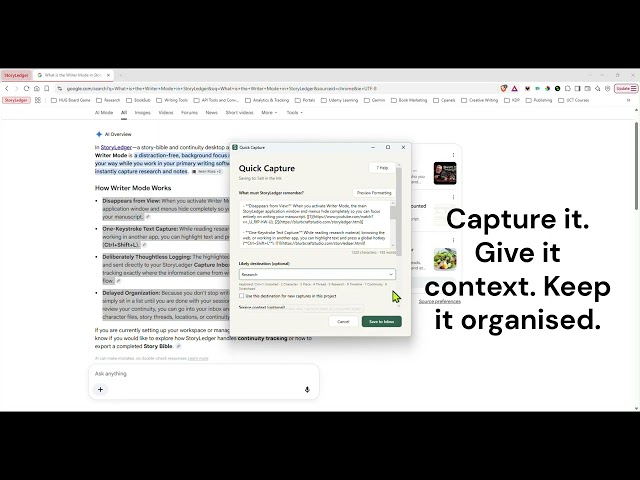
It's a small example of what I built StoryLedger to do: keep the details somewhere dependable, so I can get back to writing.
What's coming next
I'm continuing to develop StoryLedger with feedback from the writers using it.
One project I'm particularly excited about is the experimental StoryLedger Writing Lab — an optional writing environment designed to bring your manuscript and existing Story Bible records together.
The idea is to make character details, scene information and continuity records easier to access while writing, without taking creative decisions away from the author.
It's still in development, but I'm looking forward to sharing more as it progresses.
Try it
Thirty days free. After that it's $39 once — not a subscription, not a renewal, not a seat. Buy it and it's yours.
Everything it does, and how to buy it
It's early, and that's rather the point
I'm building this in the open, and the writers using it are shaping it. The most recent update came from a writer who wrote to tell me my character roles were too rigid — one character, one role, which is not how characters work. She was right, and it changed that week.
If you try it and something annoys you, tell me. That's how it gets better.