You're halfway through writing a chapter when a character mentions something that happened three months earlier.
Or was it four?
You remember establishing the detail somewhere. Perhaps in a character profile, a timeline, a research document, or one of those notes you promised yourself you'd organise later.
And just like that, you've stopped writing your novel and started searching for information about your novel.
It's a familiar frustration for fiction authors, especially those working on complicated mysteries, historical fiction, fantasy, large casts, or an ongoing book series.
But what if your manuscript and the information behind your fictional world could live in the same application?
What if you could write your next chapter while keeping your characters, places, relationships and timeline events beside you?
That's the idea behind The Desk, the manuscript writing environment built into StoryLedger.
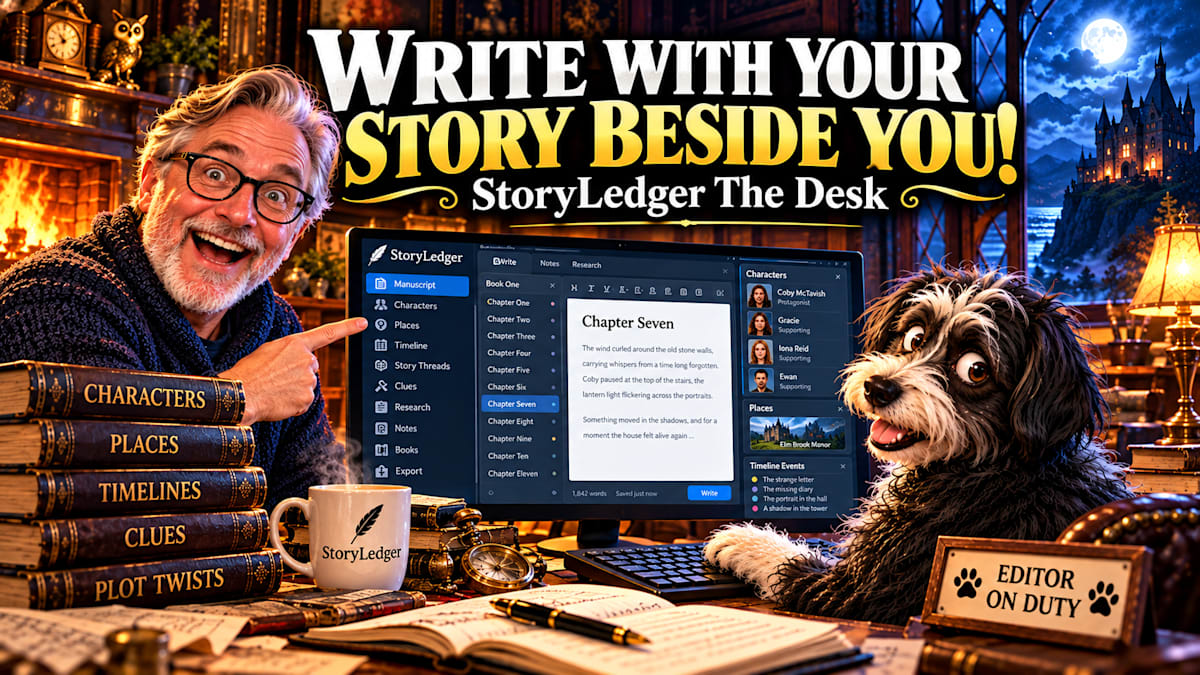
StoryLedger The Desk — Write With Your Story Beside You.
When Novel Writing Becomes an Exercise in Remembering Everything
Writing a novel is a creative undertaking, but it also requires an extraordinary amount of organisation.
A character introduced in Chapter Two may return in Chapter Twenty. A seemingly insignificant object may become an important clue. An event mentioned in passing might establish a date that affects everything that follows.
For writers working across multiple timelines, these details become even more important.
Consider a mystery in which the present-day investigation gradually reveals events from twenty years earlier.
The author needs to remember which characters were alive at the time, how old they were, where they lived, what they knew, and how their relationships changed.
The story may be fictional, but its internal logic needs to remain believable.
Many authors manage this information through a combination of Word documents, spreadsheets, notebooks, character profiles and separate story planning tools.
There's nothing inherently wrong with that approach.
The difficulty arises when the information you need is somewhere other than the manuscript you're currently writing.
And sometimes, the interruption is enough to break your concentration completely.
Introducing The Desk: Novel Writing Software with Your Story Records Beside You
StoryLedger began as a Windows desktop application for planning novels, organising fictional worlds and tracking potential continuity problems.
It provides dedicated records for characters, relationships, places, timeline events, clues, story threads and research.
But as I continued developing the application, something became increasingly clear.
The information I was collecting wasn't only useful during planning and revision.
I needed it while writing.
That realisation led to The Desk.
Rather than treating manuscript writing and story planning as entirely separate activities, The Desk brings them together in one workspace.
Authors can write their chapters and scenes while referring to the information they've already recorded about their fictional world.
The manuscript remains the centre of attention, but the story behind it is never far away.
Watch StoryLedger The Desk in Action


Video: StoryLedger The Desk — Write With Your Story Beside You
The demonstration introduces The Desk and shows how manuscript writing can work alongside StoryLedger's existing story records.
Records Beside Me: A Different Approach to Writing a Novel
One of The Desk's most distinctive features is called Records Beside Me.
Imagine you're writing a scene involving a character who appeared several chapters earlier.
You remember their name, but you're uncertain about an important detail.
Perhaps they have a particular relationship with another character. Perhaps their age matters to the scene. Perhaps something happened to them at a specific location or point in the story's timeline.
Normally, you might stop writing and begin searching through your notes.
With Records Beside Me, StoryLedger recognises names you've already recorded and makes the relevant story information available alongside your manuscript.
Characters, places and other existing records can be consulted while you continue working on the chapter.
The feature can also draw attention to capitalised names in your manuscript that don't yet have corresponding records in your StoryLedger project.
This doesn't mean the software is inventing characters or deciding what should happen next.
It's working with information you've supplied, helping you find it when you need it.
For writers managing complicated fictional worlds, that distinction matters.
The software isn't trying to become the author.
It's helping the author remember the world they've created.
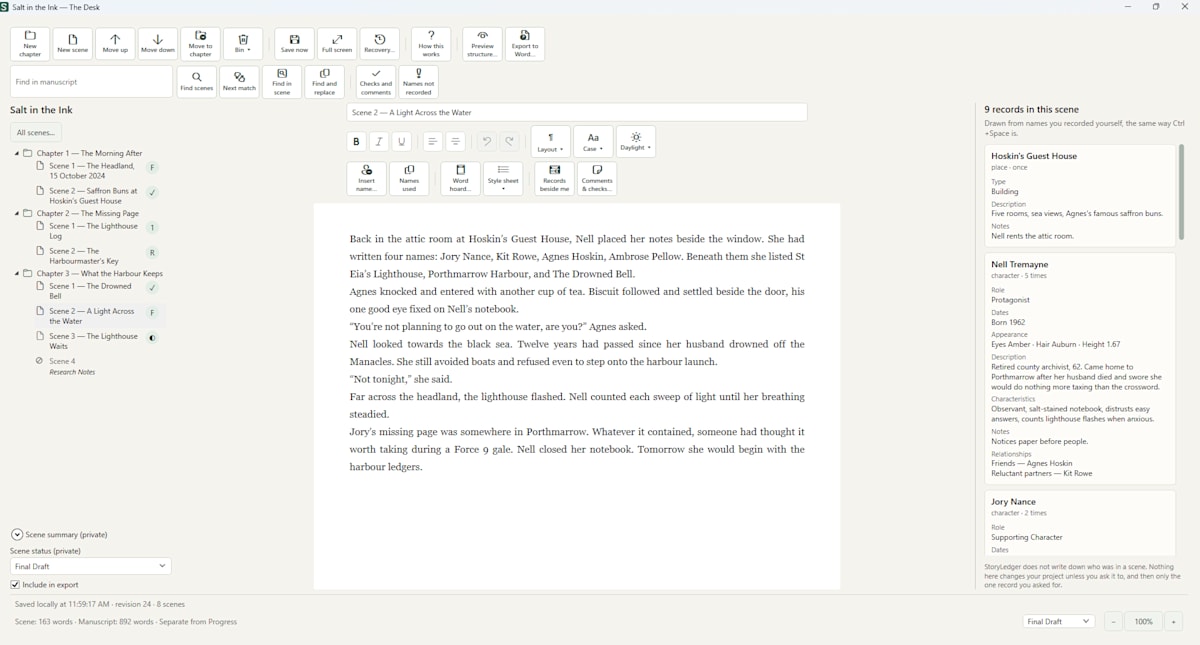
StoryLedger The Desk keeps your manuscript in front of you and your existing character, place, events, and story records beside the page.
Organise Your Novel into Chapters and Scenes
A useful manuscript editor needs to do more than provide an empty page.
Long-form fiction requires structure.
Some authors work chronologically, writing one chapter after another. Others jump between scenes, rearranging sections as their understanding of the story develops.
The Desk provides a manuscript workspace organised around chapters and scenes.
A chapter and scene list sits alongside the writing area, making it easier to navigate the manuscript without treating the entire novel as one enormous block of text.
For writers searching for novel writing software with chapter organisation, this brings an important part of manuscript management into the same environment as their story planning records.
It also means the writer doesn't have to abandon StoryLedger's character, place and timeline information simply because the planning stage is over.
The records remain useful throughout the writing process.
Already Writing Your Novel in Microsoft Word?
Not every author begins a new manuscript inside a dedicated writing application.
Many writers have spent months, or even years, working in Microsoft Word.
Moving to a new writing environment shouldn't mean abandoning that work.
The Desk includes a structured Word manuscript import feature.
When chapters and scenes have been identified using Word heading styles, StoryLedger can preview the document's structure before importing it.
This allows the author to see how the application interprets the existing chapter and scene headings, including anything it cannot place.
The original Word document is opened read-only during this process.
For authors considering a new manuscript writing tool halfway through a project, being able to review the proposed structure before importing is particularly useful.
Manuscript Editing, Find and Replace, and Style Consistency
Writing the first draft is only one part of creating a novel.
Revision introduces its own challenges.
Perhaps a character's name has changed. Perhaps a location has been renamed. Perhaps you've decided to use a particular spelling or editorial convention throughout the manuscript.
The Desk includes manuscript editing features such as Find and Replace, along with tools to help writers review consistency.
Its Style Sheet functionality can help authors maintain preferred terminology, spelling conventions and house-style decisions.
This can be especially useful for writers who want to maintain British or American English conventions consistently throughout a book.
The Desk also offers different visual writing themes, including Daylight and Lamplight, allowing authors to choose a comfortable environment for their writing sessions.
And when the manuscript is ready to move elsewhere, it can be exported to Microsoft Word, with chapter and scene headings preserved in the document structure.
These features are not intended to replace the author's editorial judgement.
They provide practical support for the work of writing, revising and preparing a manuscript.
Why Story Planning and Manuscript Writing Belong Together
As a novelist, I know how easily a fictional world can become difficult to manage.
My own experiences with continuity mistakes and reader reviews were among the reasons I originally developed StoryLedger.
I wanted a better way to keep track of the characters, relationships, places, clues and events that mattered to my stories.
Over time, the application grew into a structured story-planning environment.
But writing doesn't happen in isolation from planning.
The decisions made during a chapter can affect a character's history, introduce a new location, establish an important date or change the direction of an unresolved story thread.
Likewise, information established earlier in the novel can influence what a character can reasonably say or do in a later scene.
The Desk brings those two activities closer together.
You can work on your manuscript while keeping the records that support it within reach.
And if you prefer writing elsewhere, The Desk is optional. StoryLedger's planning and continuity features remain available independently of its manuscript editor.
For authors who prefer to keep their existing writing workflow, StoryLedger can still serve as a separate story bible and continuity management tool.
Does StoryLedger Use AI to Write Your Novel?
No.
StoryLedger does not generate chapters, invent characters, write dialogue or produce plot twists.
It doesn't rewrite your manuscript or decide how your story should unfold.
Your words remain your own.
The Desk works with the manuscript and story records you create, bringing relevant information into view without generating fictional content on your behalf.
Your manuscript and story library are stored locally on your computer. StoryLedger does not require a cloud account or an internet connection for writing.
For authors who prefer a private, offline writing environment, this is an important part of its design.
Who Might Benefit from StoryLedger The Desk?
Different genres create different organisational challenges.
A mystery novelist may need to track clues, suspects, alibis and events that occurred long before the investigation began.
A historical fiction author may need to keep track of dates, locations, relationships and events across several generations.
A fantasy writer may be managing an extensive fictional world with its own history, geography and characters.
An author writing a series may need to remember details established several books earlier.
And even a standalone novel can become complicated when the cast grows and the plot develops.
The Desk is designed for fiction authors who want to write their manuscripts while keeping their story information close at hand.
It won't make every creative decision easier.
But it can reduce the amount of searching, remembering and switching between separate documents that often interrupts the writing process.
From Continuity Errors to a Complete Writing Workspace
StoryLedger's development began with a relatively simple problem: how could I keep better track of the details that readers notice?
That question eventually became a dedicated story-planning and continuity application.
I recently explored that journey in another article, including how reader reviews influenced the software and how another fiction author has been using StoryLedger to manage a manuscript spanning two timelines.
Read the story behind StoryLedger:
https://iwanross.com/blog/afraid-of-continuity-errors-in-your-novel-discover-the-story-planning
The Desk represents the next stage of that journey.
Instead of only organising the fictional world behind a manuscript, StoryLedger now offers a place to write the manuscript itself.
The principle remains the same.
Give authors better access to the information they've created, without taking away the imagination and personal decisions that make their stories unique.
Discover StoryLedger The Desk
If you're looking for novel writing software that combines manuscript editing, chapter and scene organisation, character tracking, story timelines and continuity planning, StoryLedger may be worth exploring.
It's a Windows desktop application with a 30-day trial that includes access to its features.
There's no monthly subscription, and your writing stays on your own computer.
Most importantly, you remain the author.
StoryLedger simply helps you keep your fictional world organised while you bring it to life.
Discover StoryLedger and try The Desk:
https://blurbcraftstudio.com/storyledger.html
Watch the video demonstration:
https://www.youtube.com/watch?v=w_4uYmLKDfU
StoryLedger The Desk — Write With Your Story Beside You.
Every thread accounted for.